
How to register a research hub
A research hub is a group of two or more verified Ukrainian scholars working together on a common research direction. Once your hub has two verified members, it appears on the public map and directory. This guide walks you through the whole flow.
Before you start
- You need a verified scholar profile on the platform (registered and approved by an administrator).
- You must be able to name at least one colleague whom you plan to invite - a hub needs two verified members to become public.
- Have your hub name, primary science area and (optionally) anchor institution ready.
A. Create a hub (for the hub lead)
-
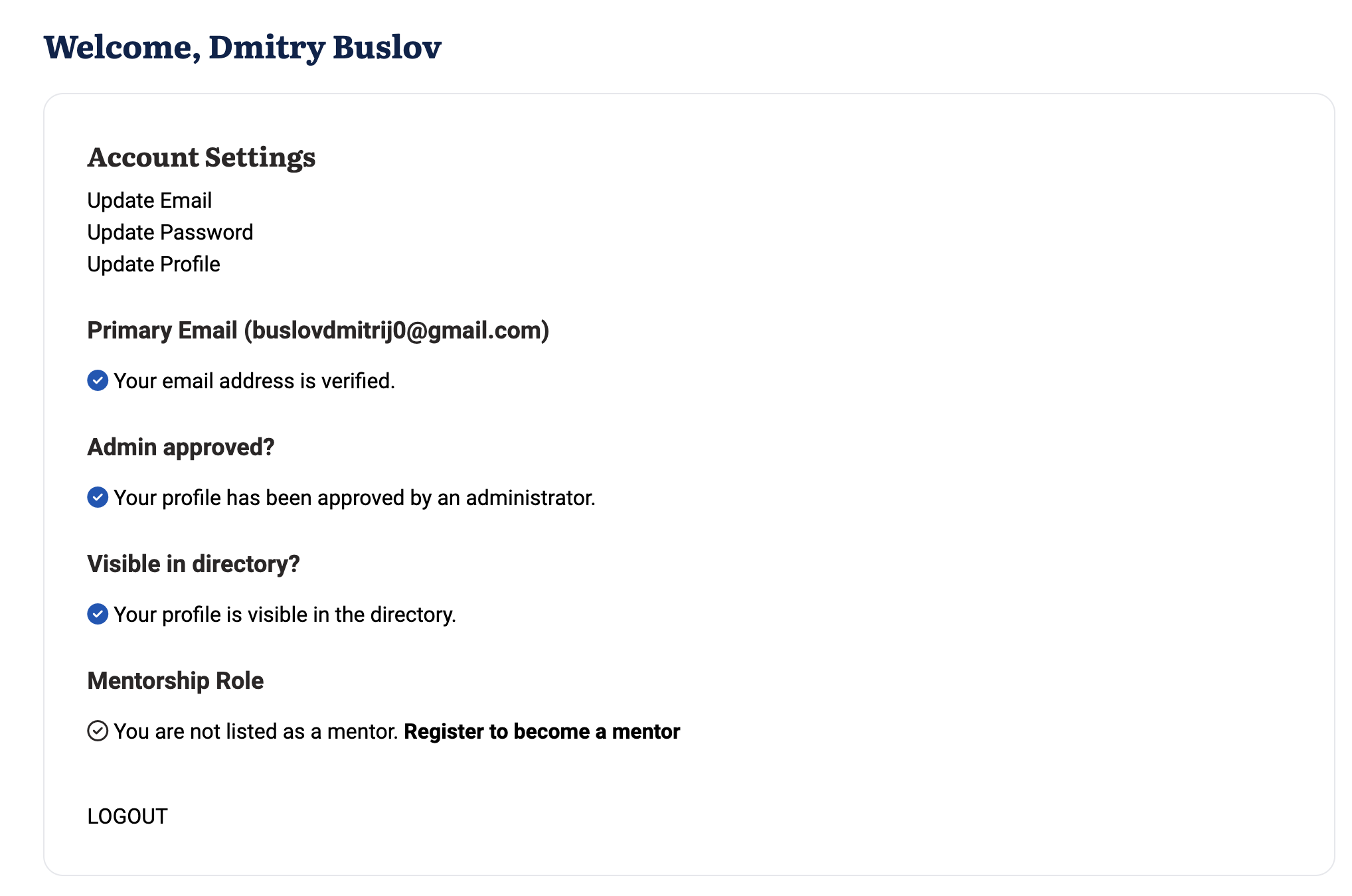
Step 1. Register and get verified
Sign up as a scholar and complete your profile. An administrator reviews and verifies you - this usually takes a couple of business days. Only verified scholars can create a hub.
-
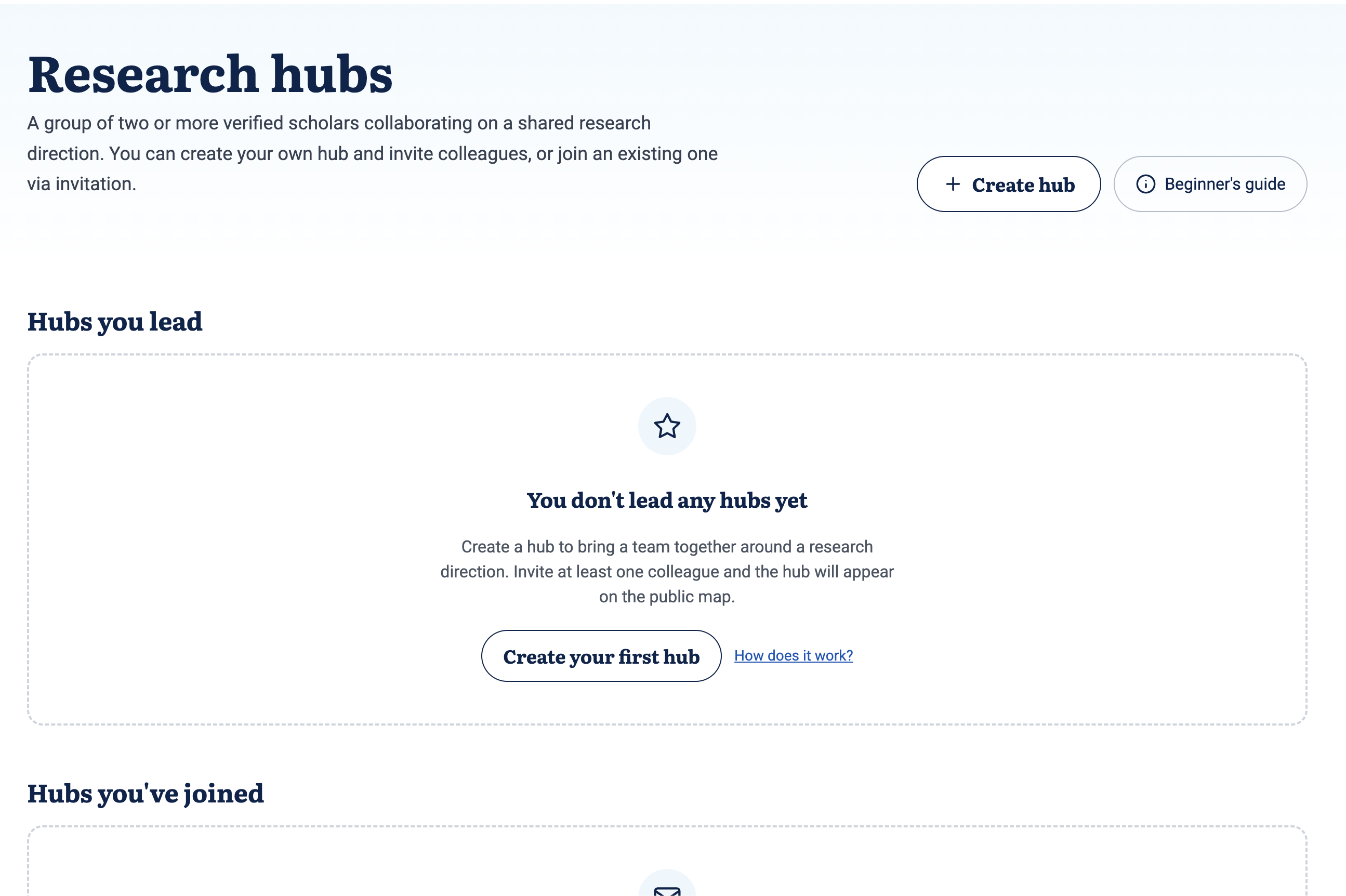
Step 2. Open "Create hub"
Go to your Research hubs page in the account menu, then click "Create hub" in the top right.
-
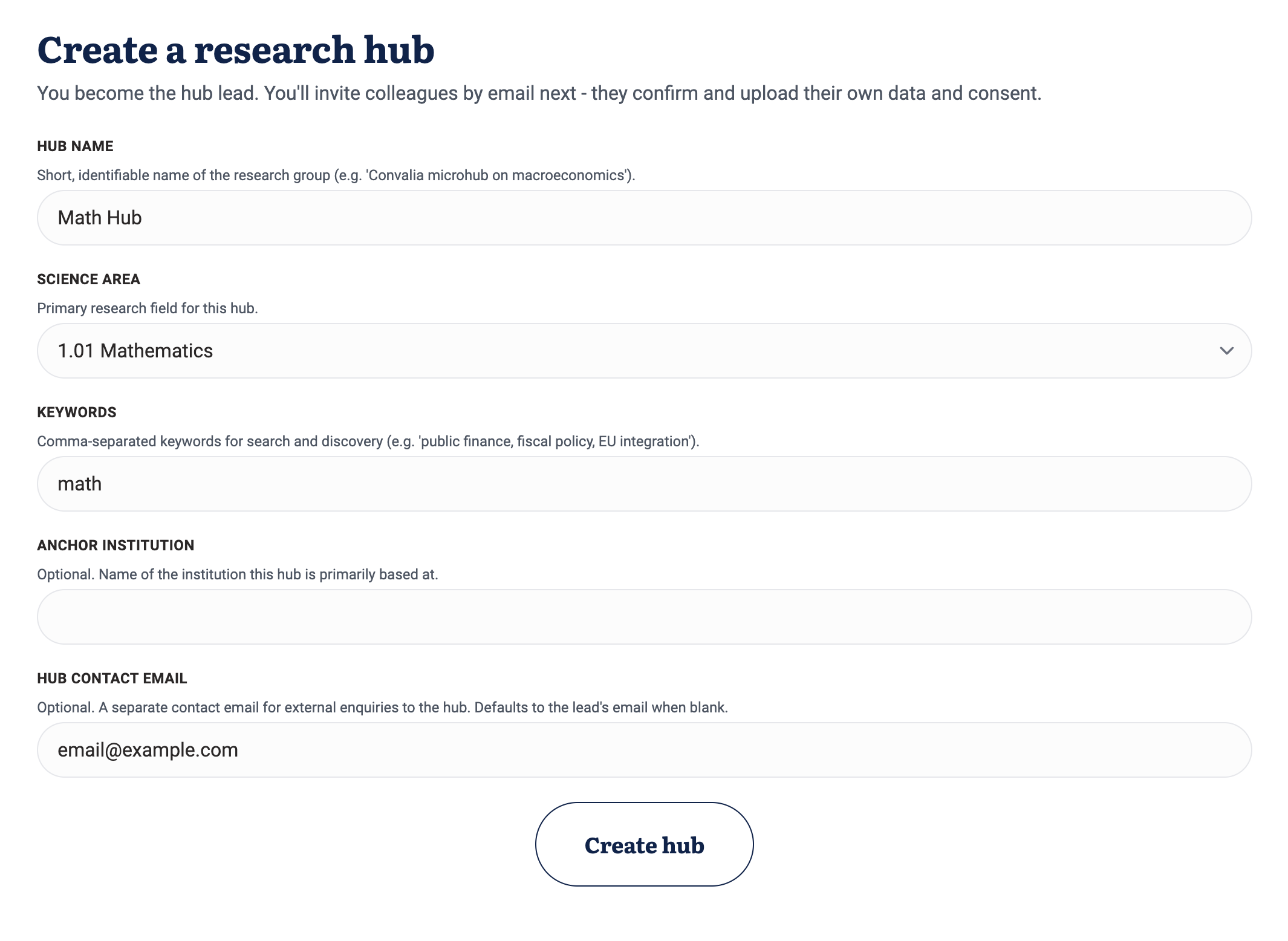
Step 3. Fill in hub details
Give the hub a short, identifiable name (e.g. "Convalia microhub on macroeconomics"), pick the primary ORCID science area, add comma-separated keywords for search, and optionally the anchor institution. The anchor institution address is what places the hub pin on the map - if you leave it empty, the pin uses your own public coordinates.
-
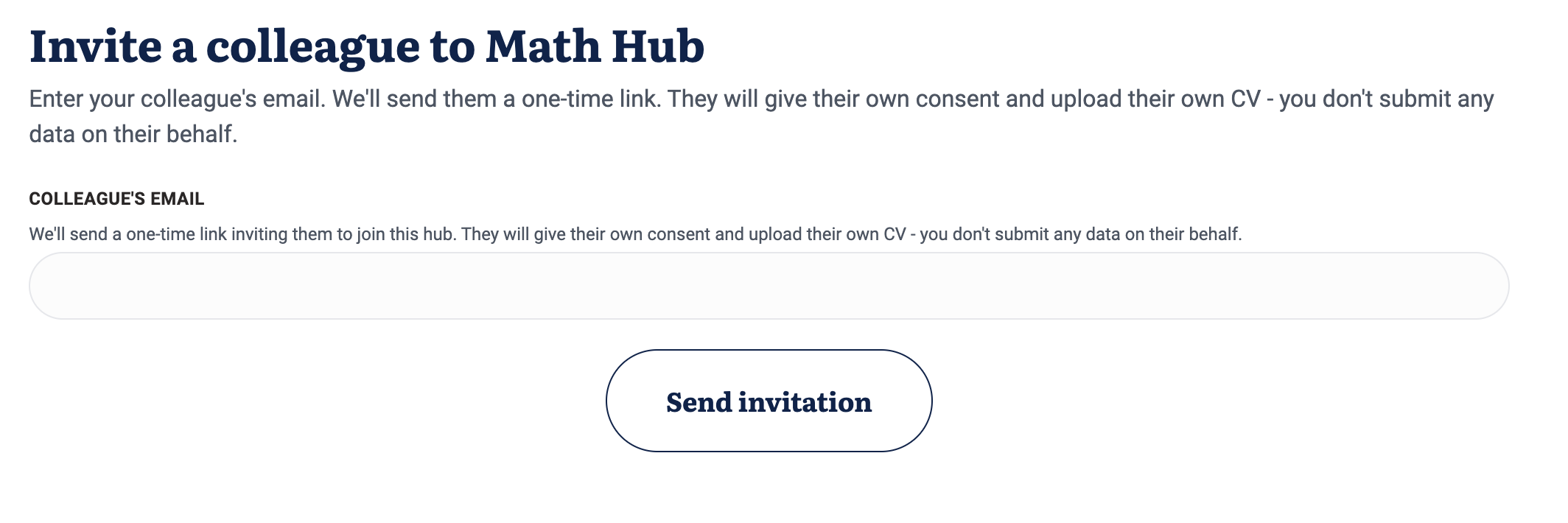
Step 4. Invite your first colleague
After saving, open the hub page and click "Invite colleague". Type their email and send. They receive a link valid for seven days. You can send more invitations at any time - there is no cap on invites.
-
Step 5. Wait for your hub to go public
Until at least one colleague accepts and gets verified, your hub stays in "draft" - visible to you and to invited members only. As soon as the second verified member joins, the hub appears on the public map and in the directory automatically.
B. Join a hub (for an invited colleague)
-
Step 1. Open the invitation email
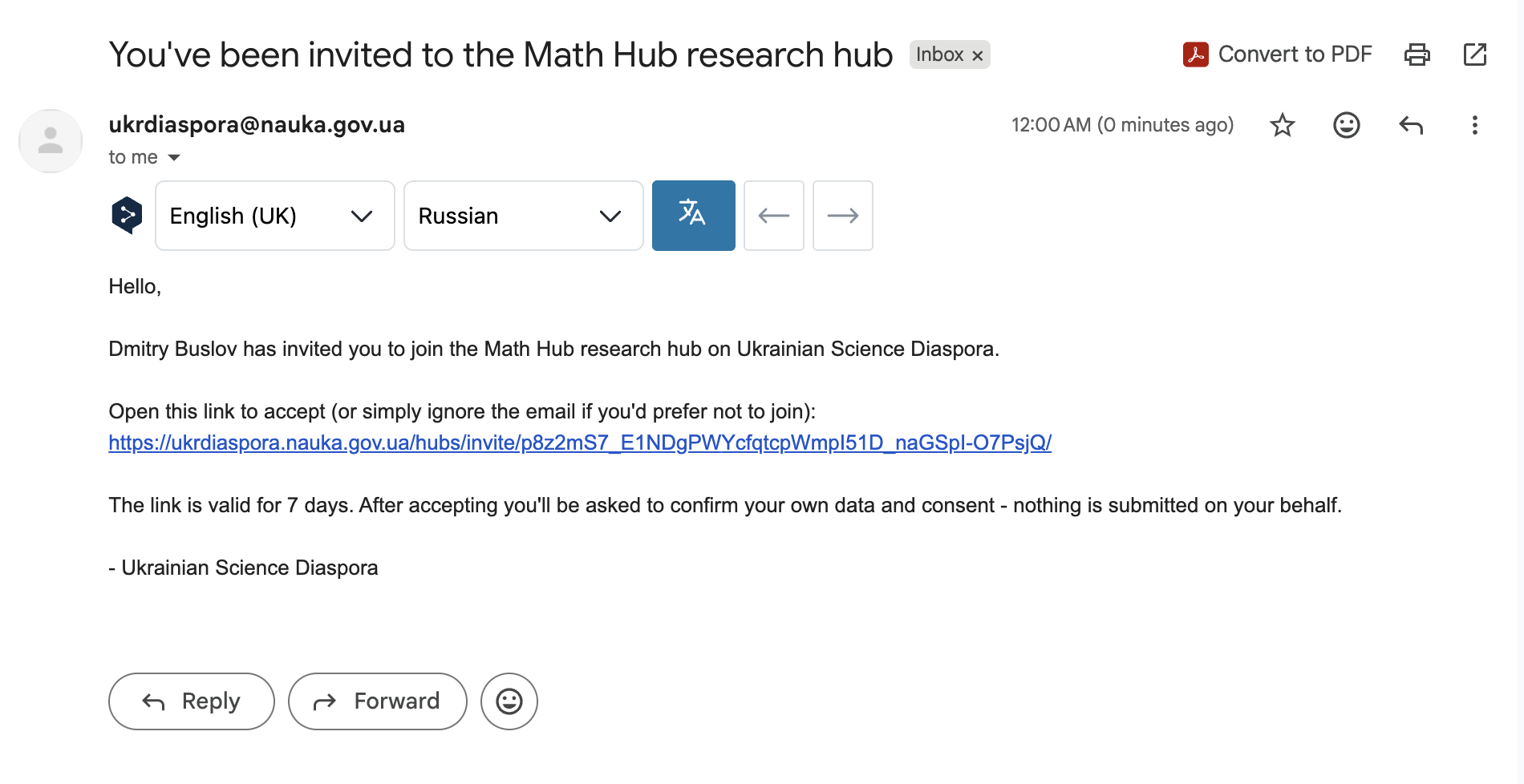
You get an email "You've been invited to the [Hub Name] research hub" from Ukrainian Science Diaspora. Click the link inside. If you already have a verified profile, you skip to Step 4.
-
Step 2. Sign up or sign in
The invitation landing page offers "Sign up" and "Sign in". Use whichever fits. Your invitation is remembered by the link you followed - the platform knows which hub invited you and will take you back there after registration.
-
Step 3. Complete your profile and get verified
Fill out your scholar profile and consent. An administrator reviews it. You only need to do this once - it's the same verification that any scholar goes through to appear on the map.
-
Step 4. Accept the invitation
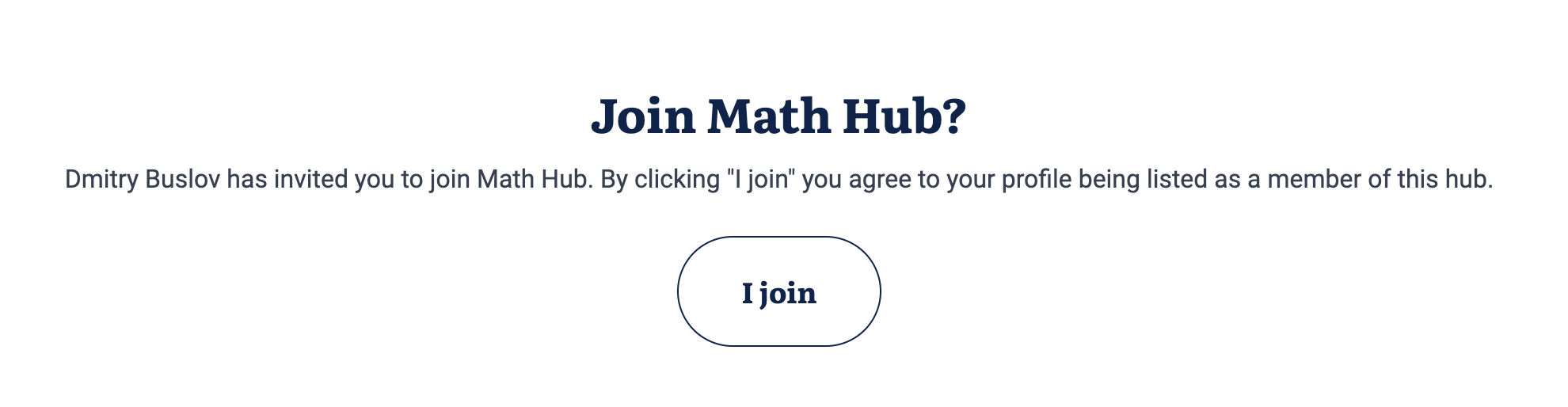
Once verified, open the original invitation link again (or click "Accept" in the confirmation email) and confirm. You join the hub, the hub lead sees you in the members list, and if you are the second verified member, the hub becomes public straight away.
When does the hub appear on the map?
Automatically, the moment your hub reaches two verified members. There is no manual publishing step. The pin position is taken from the anchor institution (geocoded via LocationIQ) or, if you left that empty, from the hub lead's public coordinates.
An admin can hide a hub for policy reasons (spam, incorrect data). In that case the hub still exists for its members but doesn't show on the public map or in the directory.
Opportunities for registered research hubs
Creating a hub on the platform opens up opportunities to take part in dedicated support programs, international networking and collaboration with Ukrainian scholars abroad.
Mentorship for research hubs
In 2026-2027 Ukrainian Science Diaspora is running two three-month waves of mentorship for research hubs:
- November 2026 - January 2027
- February - April 2027
During each wave, selected hubs work with mentors from the Ukrainian science diaspora on concrete development goals: international partnerships, joint research, grant applications, publications, academic networking and other joint initiatives.
To take part in the mentorship, the hub must be created on the platform and meet the recruitment conditions.
Learn more about mentorshipFrequently asked questions
Yes. There is no limit on how many hubs you can join or lead.
Seven days. After that, you can send a new invitation from the hub page - previous links stop working.
No. Each scholar registers, uploads their own data and gives their own consent. This is a privacy requirement.
The hub keeps existing while the lead's record is protected. Re-assigning a lead is currently a manual step - contact the administrators.
It's generated automatically from the public profiles of the verified members once the hub reaches two members. The hub lead reviews it before publication.
Yes. In 2026-2027 two separate three-month mentorship waves are planned for registered hubs. Participation is based on a separate recruitment and selection round.
Yes. Only a formed hub that meets the recruitment conditions and has at least two verified members can join the mentorship.
Questions? Write to us
We reply quickly and can help at every step of creating a hub.
You need a verified scholar profile to open the hub creation form.